As a playing agent you only have to interact with the game server. In the competition you need to be a registered client with an offical ClientID but in develpoment mode the game server will allow all clients to register with the server in order to play.
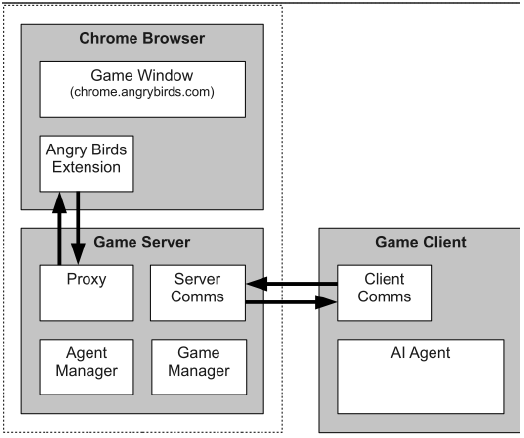
The server will be in charge of all communication with the Browser based game, so you have just to get a server instance running in order to be able to connect to it with your client.
Server commands
Round info: There are tree ways to play, qualifications, group and knock.out. The server accepts the flag -r to indicate round
1: 1st qualification round
2: 2nd qualification round
3: Group round (group of 4)
4: Knock-out round (group of 2)
You also need to supply the time limit in minutes for the round with the minus -t flag. 0 will start the server without a time limit. Finally -n will indicate the number of levels to be played.
Starting the server without any command line flags will use the default parameters: -t 0 -n 21 -r 1
Start the java Server
- First locate the ABServer.jar file
- Start the server from the command line with
java -jar ABServer.jar -t [time limit in minutes] -n [number of levels] -r[round info] - You will see this window:
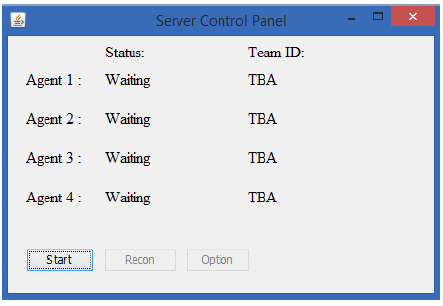
You can now connect with the clients and as soon as you press “start” the game will start